Total Pageviews

Showing posts with label WINDOWS. Show all posts

Saturday, 12 September 2015

C Language Setup & IDE [1.0.1]

How to setup Environment for C ?

We can create a C programme in Notepad or we can create it Professionally.C language setup is very easy part and It runs on every PC no special Requirements of Hardware.

I Recommend you to Use "C Free IDE"


Click Here To download C FREE
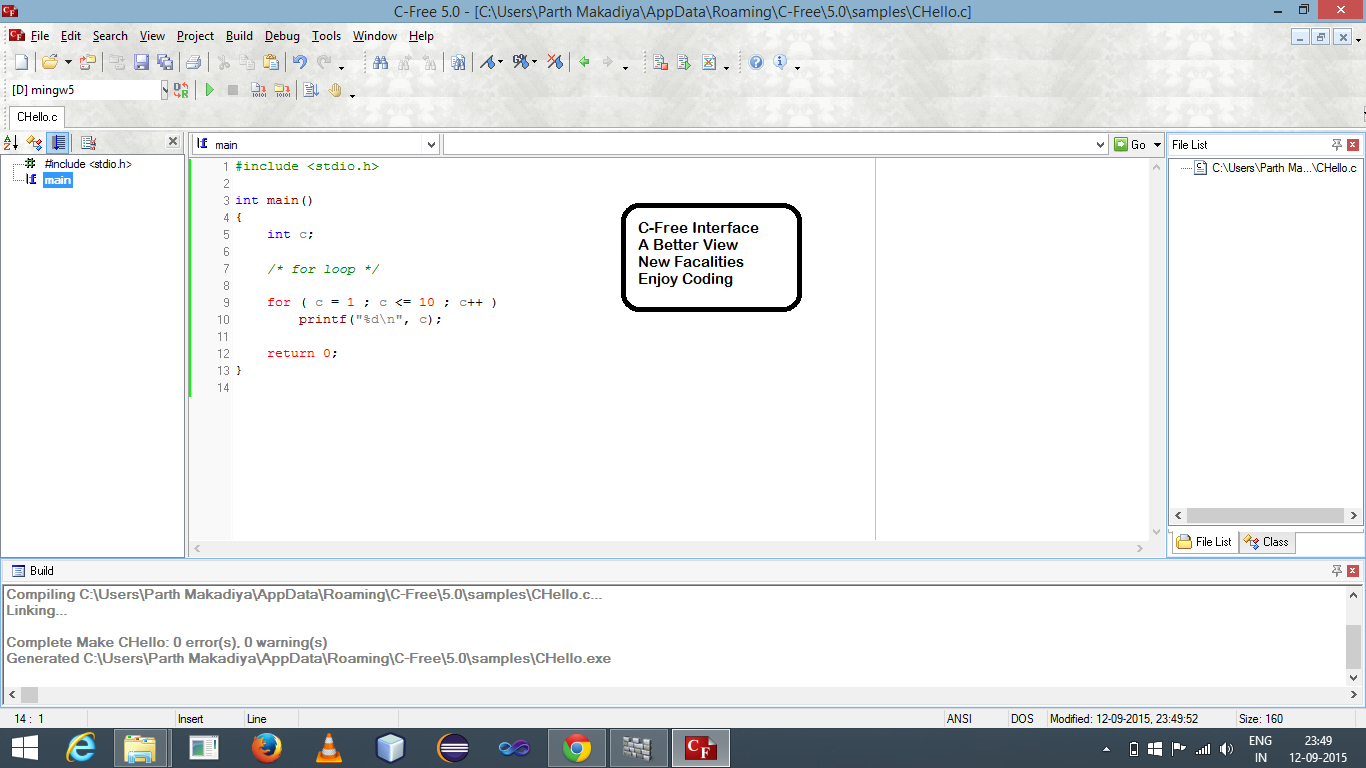

C Free


Now ,

What is IDE ?


IDE(integrated development environment) is a software application that provides comprehensive facilities to computer programmers for software development.


Windows


You can use C
Free .But You can also use Turbo C++, Notepad++ Etc..
Now see How to Install Turbo C++  


Installation on UNIX/Linux


If you are using Linux or UNIX, then check whether GCC is installed on your system by entering the following command from the command line:
$ gcc -v
If you have GNU compiler installed on your machine, then it should print a message something as follows:
Using built-in specs.
Target: i386-redhat-linux
Configured with: ../configure --prefix=/usr .......
Thread model: posix
gcc version 4.1.2 20080704 (Red Hat 4.1.2-46)
If GCC is not installed, then you will have to install it yourself using the detailed instructions available at http://gcc.gnu.org/install/
This tutorial has been written based on Linux and all the given examples have been compiled on Cent OS flavor of Linux system.

Installation on Mac OS


If you use Mac OS X, the easiest way to obtain GCC is to download the Xcode development environment from Apple's web site and follow the simple installation instructions. Once you have Xcode setup, you will be able to use GNU compiler for C/C++.
Xcode is currently available at developer.apple.com/technologies/tools/.

C Language DOS Setup [1.0.2]

Monday, 7 September 2015

Hack by NetBios

NETBIOS HACKING


By Parth Makadiya


Hello friends...Hope you guys are enjoying my previous posts on XP hacking...Now I 
will show you how to hack a remote computer and gain access to its hard disk and printer...This technique is calledNetBIOS Hacking...NetBIOS stands for Network Basic Input Output System...It was originally developed by IBM and Sytek as an Application Programming Interface (API) for client software to access LAN resources...By default it runs on port 139...Ok, let's start NetBIOS :-)

1. Goto "start" and click "Run"...


2. Type "cmd" and click "Ok"...the Command Prompt will appear...


3. First use "nbtstat" command for manually interact with NetBIOS Over TCP/IP...All the attributes (switches) used with nbtstat command and their usage can be viewed...

Syntax: C:\>nbtstat -n


An intruder could use the output from an nbtstat against your machines to begin gathering information about them...Here 192.168.110.29 is an IP address of remote computer and <20> is nothing but the username of that system...

4. Now in the command prompt use "
net view" command....It is one of the netbios commands to view the shared resources of the remote computer...Syntax: C:\>net view \\192.168.110.29

If succeeded a list of HARD-DISK DRIVES and PRINTERS are shown with the massage "The command was completed successfully"...

5. Now use the "
net use" command in the command prompt...This command enables a computer to map a share to its local drive...Syntax: C:\>net use E: \\192.168.110.29\C
Syntax: C:\>net use F: \\192.168.110.29\Myprint
Syntax: C:\>net use G: \\192.168.110.29\SharedDocs

Here E, F AND G are the Network Drive Names that are to be created on your computer to access remote computer’s hard-disk...And C, SharedDocs are the names of remote computer’s hard-disk drives that you want to hack..."Myprint" is the name of remote computer’s printer...

6. After succeeding your computer will give a message that "The command completed successfully"...Now open "My Computer" you will see a new "Hard-Disk drive" (Shared) with the specified name...You can open it and access remote computer’s Hard-Drive...
Note: You can scan your network computers with a network scanner...I personally used Angry IP Scanner...It scans IP addresses and ports as well as has many other features...Download the scanner from HERE and find the live hosts...If you face any problem just post your comment...


Note: If Remote Computer’s Firewall Is Enabled Your Computer Will Not Succeed In Gaining Access To Remote Computer Through Netbios. 

Happy Hacking...Enjoy... 
For educational purpose only...Do not misuse it...